Pro Yearly
$79.99 per year
Works out to $6.67 a month, billed once a year.
CamJot is the notes app for daily life and work. A photo, a voice note or a line of text in one tap, with the time and place attached, filed by day and easy to find again.

Four kinds of capture, one day-by-day timeline, and a record that keeps its marks.
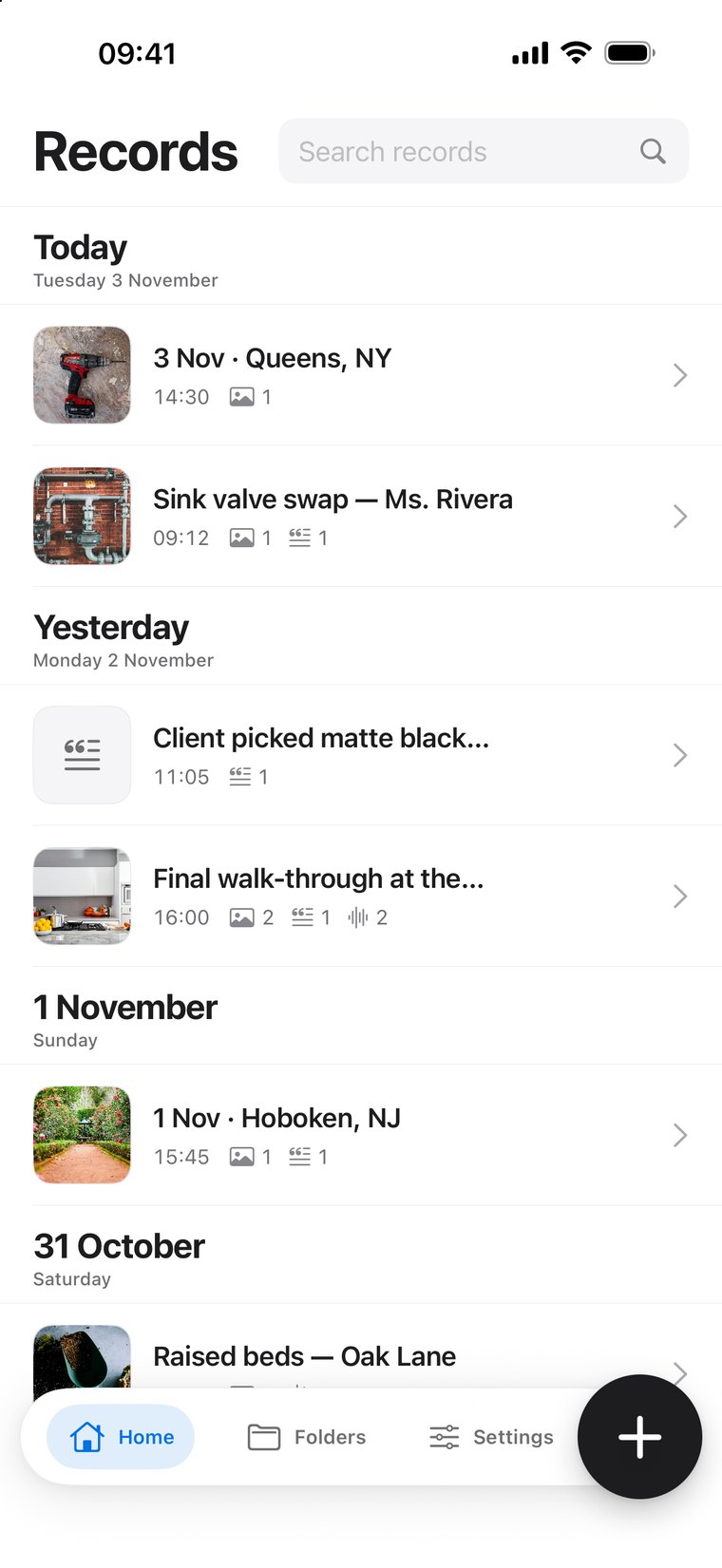
Photos, video, a voice note and a line of text on one screen, saved together as one record. Come back later and append more to the same record.
Everything lands on a day-by-day timeline, so there is nothing to sort or name. Folders when you want them, and a trash that holds deleted records for 30 days.
Hold to talk when your hands are full. The iPhone transcribes it on the device, the audio never leaves the phone, and every word is searchable.
Open a photo to circle a detail and label it. The time, place, coordinates and compass can be burned into the image so they travel with the file.
Share a photo at full resolution with its marks baked in, or export the record as a zip: a Markdown file with your text and times, plus the photos, video and voice.
Circle what matters, label it, and burn the time and place into the photo. Switch a stamp off to see what the picture carries without it.
The marks are part of the file you share, not a layer anyone can peel off.
 Shut-off valve
Gas meter
Today · 09:12
Free to download. Creating new records needs CamJot Pro, and either plan starts with a 7-day free trial.
$79.99 per year
Works out to $6.67 a month, billed once a year.
$12.99 per month
Month to month, cancel any time in Settings.
Every plan includes unlimited records, all four capture types, markup and stamps, search, zip export, folders and optional iCloud sync.
Capture, filing and search all run on the phone, so the day works offline. If you turn iCloud sync on, it catches up when there is a connection.
No account, no sign-up, no ads and no analytics. The app opens straight to your records.
On your iPhone, in CamJot's own local database. iCloud sync is off by default, and when you turn it on everything goes to your own private iCloud, not to a server of ours.
You keep every record you already have, and you can still open and edit them, search, export and delete. A subscription is only needed to create new records.
Share one record or export it as a zip: a Markdown file with your text and times, plus the photos, video and voice in folders. Markup and stamps are baked into the image itself.
iOS 26 or later, iPhone only for now. There is a menu of nine languages in the app.

CamJot runs on iPhone with iOS 26 or later. Download it, start the 7-day trial, and keep the next thing as one record.
Download on the App Store